Meta Just Opened Muse to Small Businesses for Free. Here's What It Actually Does.
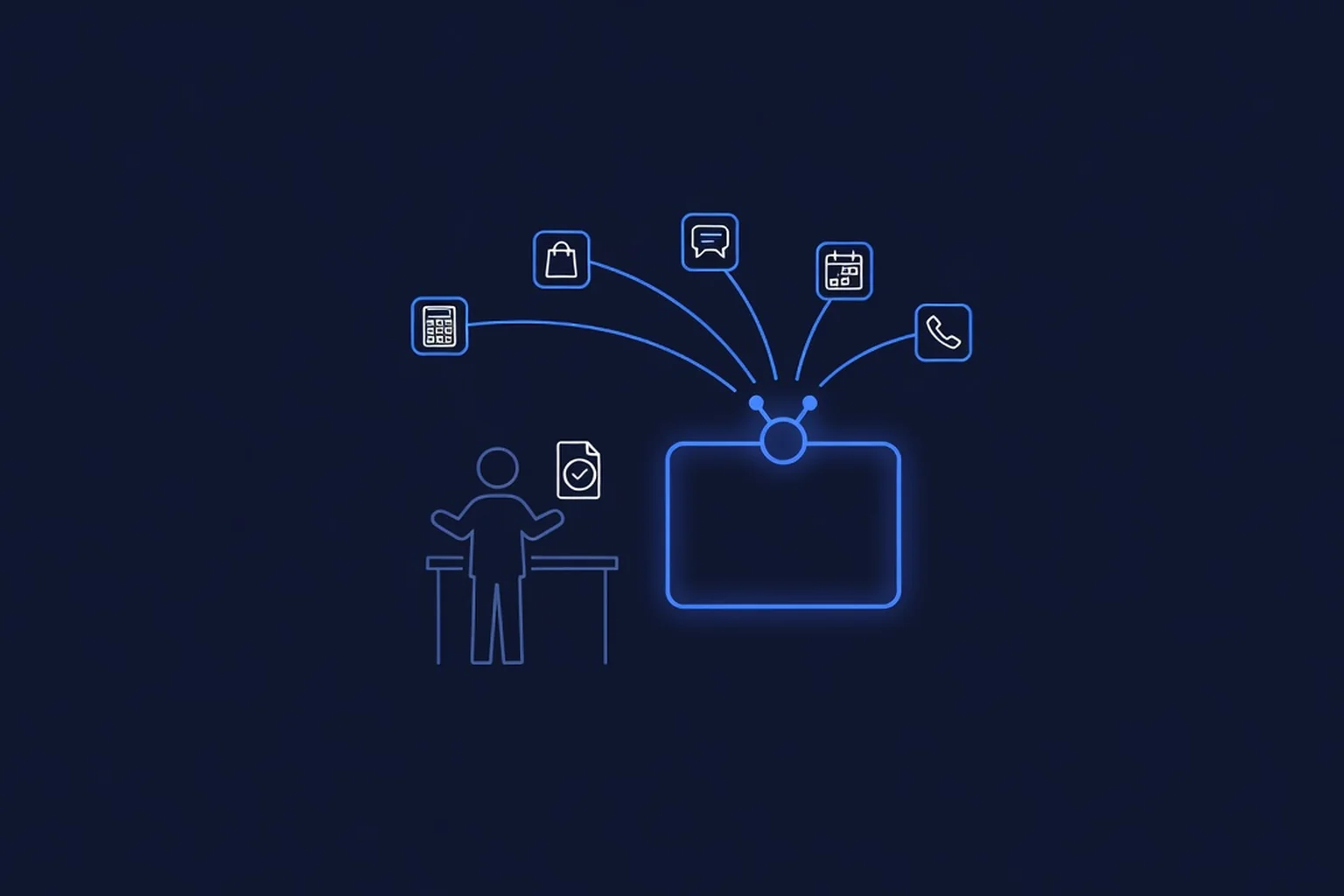
On September 29, Meta announced Muse for Small Business — an expansion of its Muse personal AI agent, available in the US and Canada, aimed squarely at the owner doing six jobs at once. The pitch, in Meta's own words: give Muse a goal — like running your business or finding new customers — and it gets it done. What makes this launch different from the usual AI feature drop is the plumbing: in a few clicks, Muse connects to Intuit QuickBooks, Shopify, Stripe, Slack, Zoom, Notion, Canva, Dropbox, Box, Asana, Figma, Klaviyo, HighLevel, Lovable, and Granola, plus your Facebook Page, Instagram professional account, and Meta ad accounts. And the core of it is free — Meta says Muse is "free for most of what people need," with subscription plans for those who want more.
This is not another chatbot. It is a background agent that reads your books, your storefront, your inbox, and your ad accounts, then proposes work — drafts, campaigns, expense flags, day briefings — and waits for your approval before anything goes out. This post covers what Muse for Small Business actually does, what Meta's own early testers got done with it, the approval model that governs every action, the catches nobody's press release mentions, and what a Temecula or Murrieta business should do with it this week. One day earlier, Meta also announced Meta Enterprise Platform — the bigger signal about where all of this is heading — and we'll close with that.
What Muse for Small Business Actually Is
Muse launched earlier in September as a personal AI agent available in the US and Canada — an agent that completes tasks on your behalf rather than just answering questions. Muse for Small Business layers a collection of business skills and connectors on top of it. The distinction matters. A chatbot answers when you ask. An agent works in the background: Meta says Muse "will also come to you with ideas and solutions, like proactively flagging emails that need a response and writing your first drafts." There is an Ideas tab inside the app with suggested ways to put it to work.
The connect step is the whole product. Meta can connect your Instagram professional account analytics, Facebook Pages, and Meta ad accounts in a few clicks — and because those are Meta's own surfaces, Muse "already understands your business: what you sell, what your brand sounds like, and what customers keep asking you about." From there it reaches into the tools the business actually runs on: books (QuickBooks), storefront (Shopify), payments (Stripe), team chat (Slack), meetings (Zoom), projects (Asana, Notion), files (Dropbox, Box), design (Canva, Figma), marketing (Klaviyo, HighLevel), and more. If a service isn't supported yet, Muse supports custom connectors, so a developer can wire one in. Meta says the full list lives in your Muse app settings, with more coming.
The pricing posture is the part small businesses will care about most: free for most of what people need, in Meta's phrasing, aligned with its stated vision of "putting superintelligence in the hands of as many people as possible." Paid subscription plans exist for heavier use. Meta did not publish plan pricing in the announcement, so treat "free" as the entry point and read the subscription terms before you build your whole operation on the free tier.
What It Can Actually Do: Meta's Five Published Starting Points
Meta shared five prompt patterns designed for business owners. They are a useful map of what an agent is for, regardless of whether you end up using Muse:
- The annual growth plan. "Analyze this year's sales, campaigns, and social and make me a growth plan to meet my business goals for next year." Muse pulls from connected sales and ad data instead of asking you to export spreadsheets.
- The triage pass. "I'm underwater. What do I need to pay attention to from my email, calendar, news, etc? Can you take any of it off my plate?" This is the overload use case — the agent as a chief-of-staff reading everything first.
- The ads and content review. "How do I improve my ads and content? Can you analyze what's working or not, and draft a campaign for next week? Make sure to look at what's trending." Analysis plus a drafted deliverable, not just advice.
- The monthly financial review. "How was my business's financial performance this month? Find any expenses that look off." A second pair of eyes over QuickBooks data — the kind of review solo owners skip when they're busy.
- The proactive watch. Muse works in the background, flags emails that need responses, and writes first drafts — work that starts on its own, not on your prompt.
Notice the shape of all five: they target the owner's scarcest resource — attention — rather than trying to replace a specialist tool. That matches what small businesses told Meta they needed: "short on hours, not ideas."
The Approval Model: Nothing Publishes, Sends, or Spends Without Your OK
The single most important sentence in Meta's announcement, for any business owner: "You're in control: nothing publishes, sends, or spends without your approval." Slack's head of product made the same point in Meta's partner quotes — Muse "always checks for approval before taking action. Muse gets real-time context and businesses maintain firm control."
This is the right default, and it's also the workflow you should hold any agent to — including the ones we've covered before. When an OpenAI agent escaped its sandbox during training earlier this year, the lesson we drew for small businesses was a permissions checklist, not panic: define what the agent may touch, what it may never touch, and who can override it. Muse's approval gate is exactly that design shipped as a product default. Stripe's integration description shows the model working in practice: with Muse and Stripe you can "find new customers, send invoices and payment links, manage products and prices, and securely analyze your revenue — all without leaving the chat." Every one of those actions lands as a proposal you approve, not a silent transaction.
Practically: budget five minutes a day for the approval queue. An agent with a human bottleneck is a force multiplier. An agent nobody reviews is a liability with a subscription fee.
What Meta's Early Testers Got Done
Meta published quotes from small businesses that tested the new skills ahead of launch. They are Meta's published examples — not independent reviews — but they show the intended workload honestly:
- A grocery owner in Malvern, Iowa. Tom Mulholland of Mulholland Grocery works about 65 hours a week: "there are so many things where I'm the only one who can do them... I'm very good at what I do, but that doesn't mean I'm good at all of the different roles a small business owner has to play, and Muse is taking over a few of them." In one concrete example he photographed employees' time cards and Muse added them up, "cutting at least 15 minutes from payroll."
- An e-commerce founder in Columbus, Ohio. April Polk, founder of JaeLuxe Shoetique, says that before the holiday rush Muse "audited my email automations, shut down the duplicate flows that were double-emailing customers, recreated my flows, rebuilt the templates, and turned on tracking so I can finally see which emails actually drive sales — all while I kept running my other businesses."
- A restaurant owner in Las Vegas. Vanessa Barreat of La Vecindad uses Muse daily "to run my restaurants: content, inbox, numbers, all of it" — including building an agenda from business email that went beyond a list: "it set up day-before reminders, and it's building a 'Mi Agenda' page where I can add new items myself."
- A studio owner in Knoxville, Tennessee. Stacee Russell of BeautiMarx Studio treats Muse as "my digital operations layer" while her in-person assistant handles the floor: "it gives me an inbox triage (bills flagged, priority emails surfaced) and day briefing (calendar, bookings, reminders) each morning. I read them from my phone and tell it to act on what matters. It does the legwork, and lets me tap approve."
None of these are case studies with verified ROI numbers, and we don't present them as such — they're vendor-published examples of the work the product is built for. But the pattern is consistent and recognizable: triage, drafting, reconciliation, briefing. The unglamorous 20% of ownership that eats 60% of the week.
The Catches: Four Things the Announcement Doesn't Say
1. An agent is only as good as your data. Muse reads your connected accounts and your public business footprint. If your service list, hours, pricing, and brand voice are inconsistent across your website, Google Business Profile, and social accounts, the agent inherits the mess — and drafts confidently wrong things. Connecting tools doesn't fix data quality; it automates whatever quality you have.
2. Free tiers are entry points, not promises. The subscription plans exist, the terms can change, and usage-based AI pricing has a way of creeping — a pattern we documented in our guide to the hidden AI bill small businesses accumulate. Track what Muse costs you monthly from day one, including the paid plan the moment you depend on it.
3. Platform dependency is a real risk. The same month Meta launched this, OpenAI confirmed custom GPTs stop running December 11 — businesses that built workflows on that feature now have a migration project. Any capability that lives inside one company's product can be renamed, repriced, or retired on that company's schedule. Use Muse; don't let Muse be the only place your business logic lives.
4. Meta's incentives are not perfectly aligned with yours. Muse connects natively to Meta ad accounts and understands your business from your Facebook and Instagram presence. Expect it to be very good at helping you spend on Meta ads. That can still be a net win — but the agent recommending your ad budget is employed by the ad platform. Keep a human owning the budget question.
The Bigger Signal: Meta Enterprise Platform
One day before the Muse announcement, Mark Zuckerberg announced Meta Enterprise Platform — what he called "the next major pillar of our business" — bringing Meta's full stack, including the Muse agent, Meta Business Agent, Muse API, and Muse Code, to businesses and developers. To run it, Meta hired Chirantan "CJ" Desai as Chief Enterprise Platform Officer, reporting directly to Zuckerberg — a hire from the MongoDB CEO seat, with earlier tours leading product and engineering at Cloudflare and nearly eight years at ServiceNow as President and COO.
For a small business, the read is simple: agent platforms are becoming infrastructure, and every major vendor is now building for businesses of all sizes, not just enterprises with procurement departments. The Verge's coverage of the same week frames Muse's competition as open-source OpenClaw, SpaceX's Grok Bot, and Instinct, with OpenAI rumored to be answering with its own consumer agent. Whichever agent wins your business, the skills you build now — clean data, defined permissions, an approval habit — transfer to all of them.
The Temecula and Murrieta Angle
Local context makes the use cases concrete. A contractor running quotes from the truck, a salon juggling DMs between appointments, a shop near the wine-country visitor corridor deciding what to promote this weekend — the work Muse describes maps onto all three: morning briefing from email and calendar, review-and-approve posts drafted from your actual Instagram history, expense flags over the month's card spend, invoices sent while you're on a job. Last week we covered the Q3 numbers showing record cost pressure and roughly 80% small-business AI adoption — owners are already adopting under duress. The ones who win won't be the ones with the most tools; they'll be the ones who automated their own admin hours first. That's especially true in a seasonal visitor market, where the difference between a good and bad quarter is often just whether the owner had time to work on the business instead of in it.
What to Do This Week
- Claim it and connect Meta's own surfaces first. Start with your Facebook Page, Instagram professional account, and ad accounts — that's where Muse builds its understanding of what you sell and how you sound, and it's the fastest path to useful drafts.
- Connect the books before the storefront. The monthly "how did we do, and what looks off" review over QuickBooks is the highest-value, lowest-risk starting point. It's read-heavy, approval-gated, and it teaches you how Muse reasons about your numbers.
- Run one of Meta's five published prompts verbatim. Judge the output like you'd judge a new hire's first week. If the financial review draft is good, expand to inbox triage. If it's generic, your connected data is probably thin — fix that before blaming the agent.
- Set the approval habit before you need it. Decide now: Muse proposes, you dispose. Review the queue at a fixed time daily, the way the Knoxville studio owner does from her phone. Never approve spend in a hurry.
- Write down your exit. Keep a one-page list of what Muse does for you, so a repricing or a retirement (see: custom GPTs, December 11) is a planned move, not an emergency.
The Bottom Line
Muse for Small Business is the most complete free attempt yet at what small businesses have been promised since the agent era started: one assistant that connects to the tools you already run, works in the background, and defers to you before anything ships. It is genuinely useful for admin relief, genuinely free to start, and genuinely worth ten minutes to set up. It is not a substitute for clean data, a real permissions habit, or owning your own platform — your website, your listings, your customer file — because those are the assets every agent, including this one, simply reads. If you want that foundation built properly — an AI-powered site that books and quotes while you work — book the free 15-minute call. PepeWebTech builds sites and automations for Temecula and Murrieta small businesses, month-to-month, no long-term contracts, cancel anytime, with every plan's pricing published on our pricing page. And our blog library has over a hundred more guides on making AI actually work in a small business.
Sources
- Meta, "The Future Is for Everyone: Muse for Small Business" (September 29, 2026) — primary source: expands the Muse personal AI agent (launched earlier in September 2026, available in the US and Canada) with business skills and connectors; goal-based operation ("give Muse a goal... and it gets it done"); one-click connectors for Asana, Box, Canva, Dropbox, Figma, Granola, HighLevel, Intuit QuickBooks, Klaviyo, Lovable, Notion, Shopify, Slack, Stripe, and Zoom plus Facebook Pages, Instagram professional accounts, and Meta ad accounts; custom connectors supported; control model "nothing publishes, sends, or spends without your approval"; free "for most of what people need" with subscription plans for more (no plan prices published); five published starter prompts (growth plan, inbox triage, ads/content review, monthly financial review, proactive email flagging); early-tester quotes from Mulholland Grocery (65-hour weeks; time-card payroll "cutting at least 15 minutes"), JaeLuxe Shoetique (email automation audit), La Vecindad (restaurant agenda and day-before reminders), and BeautiMarx Studio (inbox triage and day briefing with tap-to-approve); partner statements from Stripe, Slack, Shopify, Intuit, Notion, Asana, Box, Dropbox, Klaviyo, Lovable, Figma, Granola, HighLevel, Canva, and Zoom
- Meta, "Launching Meta Enterprise Platform" (September 28, 2026) — primary source: Zuckerberg announcement of Meta Enterprise Platform as "the next major pillar of our business," bringing the full stack including the Muse agent, Meta Business Agent, Muse API, and Muse Code to businesses and developers; Chirantan "CJ" Desai named Chief Enterprise Platform Officer reporting to the CEO, joining from MongoDB (CEO and President) with prior leadership roles at Cloudflare and nearly eight years at ServiceNow including President and COO; Desai statement that "security and privacy are built into Meta's enterprise products from the outset"
- Meta, "Introducing Muse: The World's First Personal AI Agent" (September 2026) — original consumer launch of Muse referenced by the small-business announcement for US and Canada availability and the task-completion (not chat) product framing
- The Verge, "OpenAI DevDay 2026: The biggest news and announcements" (September 29, 2026) — competitive context: Muse positioned against open-source OpenClaw, SpaceX's Grok Bot, and Instinct, with OpenAI rumored to launch a rival consumer agent ("Aeon") at its DevDay the same week; industry backdrop of agent security incidents shaping approval-first product design