Cloudflare Just Gave You Control Over AI Crawlers on Your Website. Here's What to Do.
Affiliate Disclosure
Some links on this page may be affiliate links. If you click and make a purchase, PepeWebTech may earn a commission at no additional cost to you. We only recommend tools and services we genuinely believe in. See our full Affiliate Disclosure for details.
AI companies have been scraping your website for free, feeding your content into their training data without asking. That is about to change. Cloudflare announced a new policy on July 8, 2026 that gives every website owner — including small businesses on the free plan — granular control over which AI crawlers can access their site. Starting September 15, 2026, Cloudflare will default-block AI training crawlers for all customers. AI companies that want access will have to negotiate, and in many cases, pay. Here is what this means for your Southern California small business website, and what you should do about it.
Category: Security 8 min readWhat Cloudflare Actually Announced
Cloudflare's post, titled "Your site, your rules: new AI traffic options for all customers," lays out three categories of AI-related web traffic and gives website owners separate controls for each. The three categories are:
- AI search crawlers. These are bots that read your website to include it in AI-generated search answers — like Google's bots that power AI Overviews, or Perplexity's web crawler. These are the "good" crawlers if you want your business to show up in AI search results.
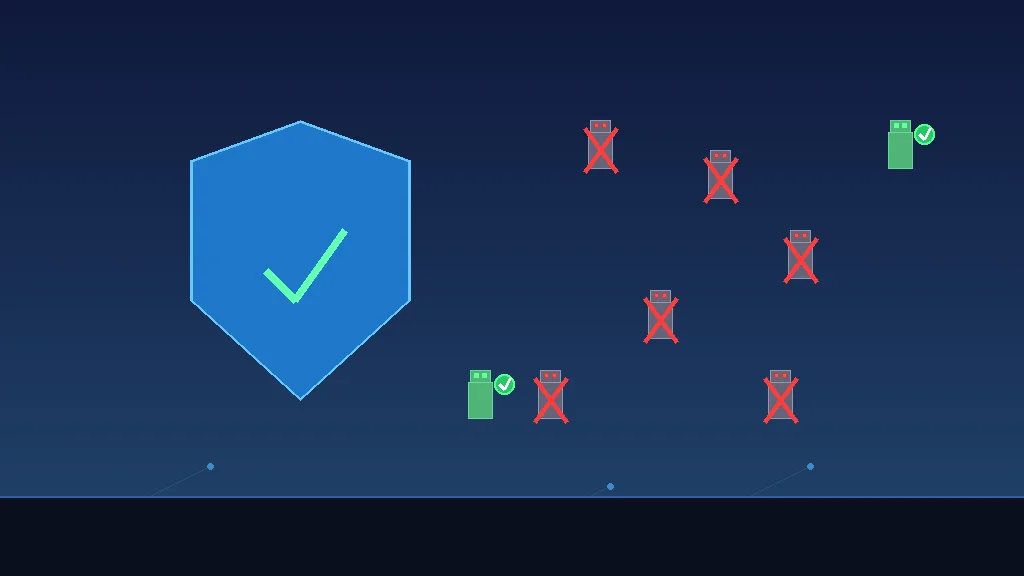
- AI training crawlers. These are bots that download your website content to train AI models — like OpenAI's GPTBot, Anthropic's ClaudeBot, or Google's training crawlers. They take your content, feed it into their models, and your business gets nothing in return. This is the category Cloudflare is default-blocking on September 15.
- AI agent crawlers. These are bots acting on behalf of AI agents — for example, an AI assistant browsing your website in real-time to answer a user's question. Microsoft's Web IQ, announced at Build 2026, is a search engine specifically built for AI agents. These are the newest category and the one most likely to grow fast.
Before this change, most website owners had two options: allow everything or try to manually block individual bots in their robots.txt file. The problem? AI companies routinely ignore robots.txt for training purposes. OpenAI's GPTBot technically "respects" robots.txt, but as Plagiarism Today documented in a July 2026 analysis, many AI scrapers simply ignore it. Cloudflare's approach is different because it sits in front of your server — the crawler never reaches your site at all.
Why This Matters for Small Business Websites
You might be thinking: "I run a dental practice in Temecula. Why do I care about AI crawlers?" Here are three reasons this affects you directly.
First, your content has value. Your website contains your pricing, your service descriptions, customer reviews, your location, your hours. AI companies want this data. When they scrape it for training, your website content becomes part of a model that can answer questions about dentists in Temecula — but the model might recommend the practice that scraped more efficiently, not the one that actually serves the community best. Cloudflare's new controls let you decide whether your data contributes to someone else's product for free.
Second, AI scraping burns your server resources. AI crawlers are aggressive. The blog stupidDOPE reported in July 2026 that AI crawlers hit their site 70 million times in two days — enough to take the site down. Even on a smaller scale, a small business website on shared hosting can see significant server load from AI crawlers. One crawl session from a major AI bot can consume more bandwidth than your actual human visitors generate in a week. Cloudflare blocks this traffic before it reaches your server.
Third, the September 15 deadline changes the default. Starting September 15, 2026, all Cloudflare customers — including those on the free plan — will have AI training crawlers blocked by default. This is the first major infrastructure company to take a stand. If your website runs through Cloudflare (and roughly 20% of all websites do), you are protected unless you actively opt in. If your website does not run through Cloudflare, you are still feeding AI models for free — and you should fix that.
September 15: The Default-Block Deadline
This is the date that matters. On September 15, 2026, Cloudflare will automatically block all crawlers it classifies as "AI training" for every customer who has not made an explicit choice. According to NBC News reporting, Cloudflare "will block AI crawlers that won't say how they use content, starting in September." TechCrunch described it as a policy that "pushes AI companies to pay for publishers' content."
The Register reported that Cloudflare will also "block cynical search-and-scrape bots from ad-supported web pages" — meaning bots that pretend to be search crawlers but are actually scraping content for AI training. This is a common tactic: some AI companies route their training crawlers through search-engine user-agent strings to bypass robots.txt blocks. Cloudflare's system uses behavioral analysis to detect and block these.
What does this mean in practice? If you use Cloudflare, nothing changes for you unless you want it to. Your site stays visible in Google search and AI search results. AI training crawlers get blocked. If you actually want AI companies to train on your content (maybe you are a content creator who wants your writing in ChatGPT answers), you can opt in through the Cloudflare dashboard.
The Three-Category System: How It Works
Cloudflare's new controls separate AI traffic into the three categories mentioned above, and you control each independently. Here is how to think about each one for a small business:
AI Search Crawlers: ALLOW
These crawlers power AI Overviews, Perplexity, and other AI search features. If you want your business to show up when someone asks an AI "What is the best plumber in San Diego?" you need to allow these. Keep this setting on "allow."
Impact: Blocking these means your business disappears from AI search answers — the opposite of what you want.
AI Training Crawlers: BLOCK (default)
These bots download your content to train their models. They give you nothing in return. The default setting after September 15 is "block." Unless you have a specific reason to allow training (you are a publisher who wants citations, for example), leave this blocked.
Impact: Blocking these saves server resources and stops AI companies from using your content for free.
AI Agent Crawlers: ALLOW (review case-by-case)
These are real-time bots acting on behalf of AI assistants. As more people use AI agents to browse the web on their behalf, this category will grow. For now, allowing these is generally good for business — you want AI agents to be able to access your site to answer questions about your services.
Impact: Blocking these could mean AI assistants tell customers "I couldn't access that business's website" instead of answering their questions.
Search Engine Journal reported in July 2026 that "more news sites default to blocking AI crawlers," showing the trend. But news sites have a different calculation than small businesses. A small business website should prioritize visibility over content protection.
What If Your Site Does Not Use Cloudflare?
If your website runs on a host that does not use Cloudflare — and many small business sites do not — you are not protected by this policy. Here is what you can do instead.
Option 1: Add Cloudflare to your site. Cloudflare's free plan includes the new AI crawler controls. Sign up at cloudflare.com, change your domain's nameservers, and you get DDoS protection, a free SSL certificate, CDN caching, and AI crawler blocking. Setup takes about 15 minutes if you have access to your domain registrar. If your web developer handles your hosting, ask them to add Cloudflare — most will do it at no charge. If your current host doesn't support Cloudflare or you're evaluating managed hosting, Cloudways and WP Engine are two options that pair well with Cloudflare for small businesses wanting predictable performance and bot protection.
Option 2: Use your robots.txt file. You can block known AI training crawlers by adding their user-agent strings to your robots.txt file. Here is what that looks like:
User-agent: GPTBot
Disallow: /

User-agent: ClaudeBot
Disallow: /

User-agent: anthropic-ai
Disallow: /

User-agent: Bytespider
Disallow: /

User-agent: FacebookBot
Disallow: /

User-agent: Amazonbot
Disallow: /
This tells these specific bots not to access your site. The problem: not all AI companies identify themselves honestly, and some use generic user-agent strings that you cannot selectively block without accidentally blocking legitimate traffic. Cloudflare's behavioral detection solves this problem; a simple robots.txt does not.
Option 3: Ask your web developer. If you have a web developer or agency, forward them this article and ask them to set up AI crawler controls on your hosting. Any competent developer can implement this in under an hour, whether through Cloudflare, robots.txt, or server-level blocks. If your developer uses AI tools to maintain and update your site, Z.AI's GLM Coding Plan is an affordable $18/month API that many agencies use for code generation and site maintenance tasks.
The Bigger Picture: AI Companies Are Losing Their Free Ride
Cloudflare's move is part of a larger shift. For years, AI companies have treated the open web as free training data. OpenAI, Anthropic, Google, Meta, and dozens of smaller AI companies have scraped billions of web pages without compensation or consent. That era is ending.
In the last 18 months, we have seen Reddit and Stack Overflow sign paid licensing deals with AI companies. The New York Times sued OpenAI for copyright infringement. Getty Images settled with Stability AI. Publishers like The Atlantic and The Guardian have reported on AI companies using their content without permission. The UK gave publishers the right to opt out of Google AI summaries. Now Cloudflare is giving every website the same power at the infrastructure level.
ADWEEK reported that publishers are "preparing to opt out of Google Search" entirely as AI summaries cannibalize their traffic. The Guardian documented that media organizations have seen "a drop in click-through traffic to their websites — and therefore their revenue" since AI summaries started appearing. MediaPost called it "AI Fast-Tracks Open Web's Collapse" in a July 6 headline.
For small businesses, the calculation is different from publishers. You want AI search engines to find and recommend your business. But you do not want your entire website downloaded for free by companies building products that compete with yours. Cloudflare's three-category system lets you make that distinction.
What to Do This Week
- Check if your site uses Cloudflare. Ask your web developer or hosting provider. If it does, log into your Cloudflare dashboard, navigate to Security → Bots, and review the new AI traffic controls. Set AI training crawlers to "block" and AI search crawlers to "allow."
- If your site does not use Cloudflare, add it. The free plan covers everything a small business needs. You get CDN caching (your site loads faster), a free SSL certificate, DDoS protection, and now AI crawler controls. Setup takes 15 minutes.
- Update your robots.txt file. Even if you add Cloudflare, keep your robots.txt updated as a secondary defense. Add blocks for known AI training crawlers listed above. This takes five minutes and costs nothing.
- Do not block AI search crawlers. This is the mistake some businesses will make. Blocking AI search crawlers means your business disappears from AI Overviews, Perplexity, ChatGPT Search, and every other AI answer engine. That is the opposite of what you want. Make sure Googlebot, Bingbot, and Perplexity's crawler are explicitly allowed.
- Monitor your traffic after September 15. After the default-block kicks in, check your server logs or Cloudflare analytics to see how much AI crawler traffic was actually hitting your site. Many business owners will be surprised by the volume. If you were paying for bandwidth overages, those should drop.
The Bottom Line
Cloudflare just did what the whole web has been waiting for: gave website owners real control over AI access to their content. For small businesses, the default settings are probably right — allow AI search (so your business shows up in AI answers), block AI training (so your content is not used for free), and allow AI agents (so real-time AI assistants can access your site). If your site is not on Cloudflare yet, add it. The free plan handles all of this, and it takes less time than it took to read this article.
The days of AI companies treating the web as an all-you-can-eat data buffet are ending. September 15 is the line in the sand. Make sure your small business website is on the right side of it.
Need Help Securing Your Small Business Website?
If you own a small business in Southern California and want help setting up Cloudflare, configuring AI crawler controls, or hardening your website against AI scraping, we can help. We build and maintain websites for local businesses throughout Orange County, Los Angeles, San Diego, and the Inland Empire. Get in touch for a free consultation.
Sources
- Cloudflare Blog — "Your site, your rules: new AI traffic options for all customers" (July 8, 2026)
- TechCrunch — "Cloudflare's new policy pushes AI companies to pay for publishers' content" (July 8, 2026)
- NBC News — "Cloudflare to block AI crawlers that won't say how they use content, starting in September" (July 2026)
- The Register — "Cloudflare to block cynical search-and-scrape bots from ad-supported web pages" (July 8, 2026)
- Search Engine Journal — "More News Sites Default to Blocking AI Crawlers" (July 2026)
- Plagiarism Today — "Why I'm Giving Up on Blocking AI Bots (For Now)" (July 2026)
- ADWEEK — "Publishers Are Preparing to Opt Out of Google Search" (July 2026)